

































Say you're six foot four and the desk you just assembled is the one the listing called tall. You raise it to the top setting, step into position, and your shoulders climb toward your ears. The surface stops below your elbows, so your arms angle up to the keyboard, and your neck takes over the work your shoulders should be doing.
Nothing is broken. The desk does exactly what the spec sheet promised, and it still doesn't fit, because the spec sheet was written around a body that isn't yours.
Fit for a standing desk for tall people comes down to one number most buyers never look up: your standing elbow height. Measure that, compare it with the desk's maximum height while the desk is carrying your monitor, and you have a decision instead of a guess. Everything else, the frame, the motor, the presets, the mat, exists to hold that number in place across an eight hour day.
Table of Contents
- Standing Desk Height Ranges by Body Height
- How to Measure Your Standing Elbow Height
- Adjustment Range and Stability at Full Height
- Fitting a Standing Desk Into a Tall-Person Workspace
- Common Tall-User Setup Problems and Fixes
- Alternating Sitting and Standing Without Overdoing It
- Confirm the Height Before You Buy
Standing Desk Height Ranges by Body Height
A height chart can help narrow your options, but body height only estimates where your elbows will sit. One tall person may need a higher work surface than someone of the same height because their proportions differ. Use the chart as a first filter, then measure your own standing elbow height.
What the ergonomic guidance specifies
The OSHA computer workstation purchasing guide recommends a standing keyboard height adjustable from 36 to 46.5 inches, with the keyboard positioned approximately at elbow height. For a tall buyer, the upper end is a useful reference point when checking whether a desk's range might be sufficient.
OSHA also identifies raised shoulders and overextended arms as examples of awkward postures caused by work surfaces that are too high or too low. Its guidance recommends roughly 20 to 28 inches of clear space under the desk for your legs and notes that workstation arrangements should suit the individual.
The height chart, and how to read it
The estimates below are this article's approximations, based on typical body proportions. They assume that standing elbow height rises with overall height, then add about an inch to the elbow estimate as a planning margin. Individual proportions vary, so treat these figures as a screening guide.
| Body height | Estimated standing elbow height | Estimated desk height to look for |
|---|---|---|
| 6 ft 0 in (183 cm) | about 44.5 in (113 cm) | about 45.5 in |
| 6 ft 2 in (188 cm) | 45.5 to 46.5 in (115.6 to 118.1 cm) | about 47.5 in |
| 6 ft 5 in (196 cm) | about 47 to 48 in | about 49 in |
| 6 ft 6 in (198 cm) | 48.5 to 49.5 in (123.2 to 125.7 cm) | about 50.5 in |
| 6 ft 8 in (203 cm) or taller | about 49 to 50 in (125 to 127 cm) | about 50 in or more |
Find your height in the first column and use the third column to identify a desk's approximate upper range. For the purchase decision, compare your measured standing elbow height plus about one inch with the desk's maximum height while it carries your equipment. An advertised top range alone cannot show whether the desk will reach that height under load.
The chart is a starting point, not a setting to copy. Two people of the same height can have different elbow heights, so use your own measurement to choose the target.
How to Measure Your Standing Elbow Height
A chart can estimate your standing elbow height, but your proportions determine the working number. Standing elbow height is often estimated at about 62% of stature. Because leg and torso lengths vary, measuring your own body gives a more useful starting point than choosing a setting from your height alone. A 6-foot-2 reader with a long torso may need a higher surface than a 6-foot-3 reader with long legs.
Two minutes and a tape measure are enough to get this number.
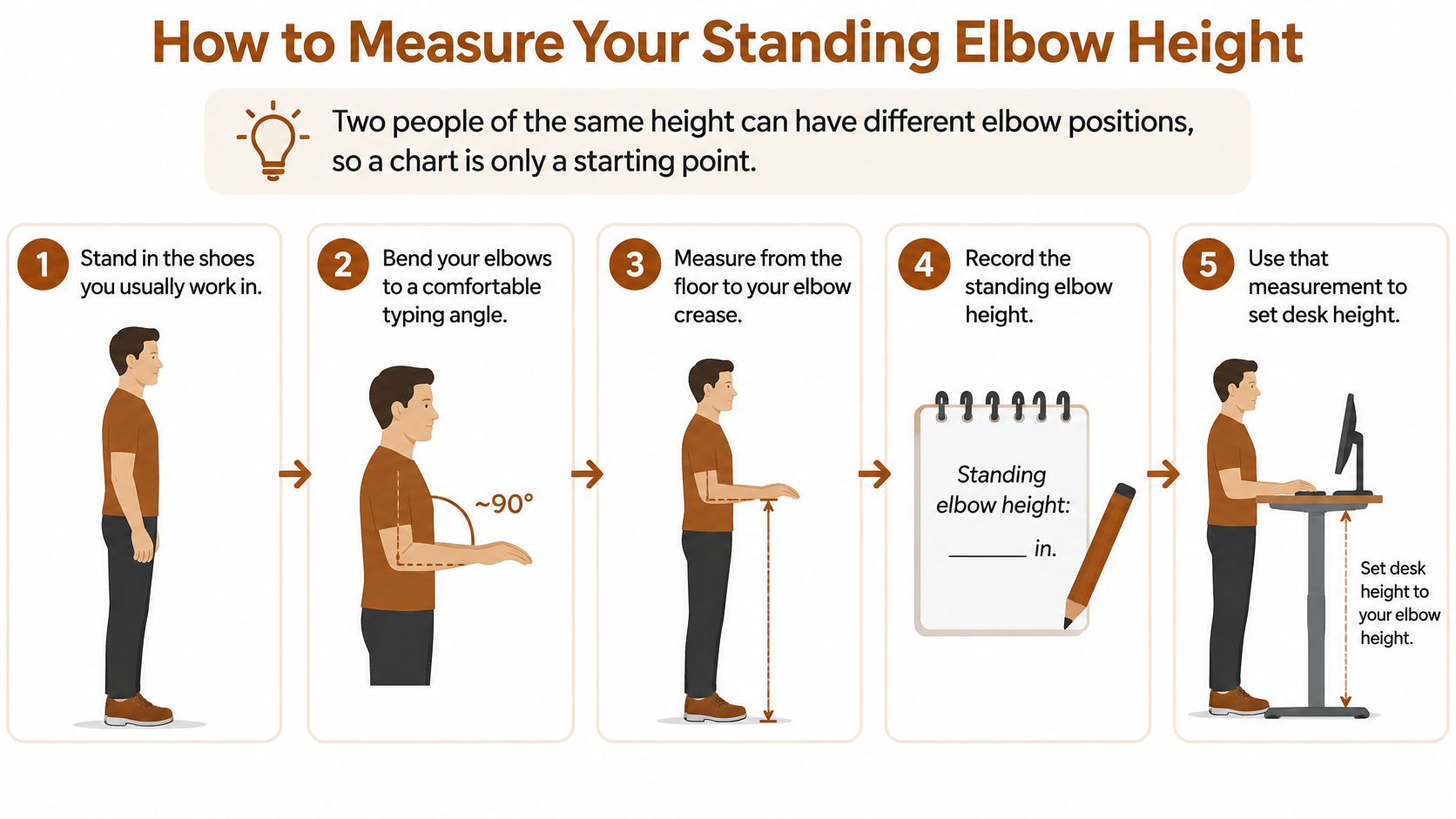
- Stand in the shoes you work in, on the floor you work on. Measuring in socks and then standing in thick-soled shoes on a mat changes the starting point. Together, footwear and flooring can shift the measurement by more than an inch.
- Let your upper arms hang beside your torso. Holding them forward as if you were typing can raise your elbows and inflate the measurement.
- Bend your elbows to about 90 degrees, with your forearms level. Aim for about 90 degrees, not 45 degrees or a relaxed dangle. Keep your forearms parallel to the floor and your hands in front of you as they would be at a keyboard.
- Keep your shoulders relaxed. A slight shrug raises your elbows and can make the measured height misleading.
- Measure from the floor to the underside of your elbow. Ask someone to hold the tape if possible. To measure alone, mark the height on a wall with a pencil, then measure from the floor to the mark. Avoid measuring from a stool or books, which can tilt or compress.
- Use the measurement to guide your desk setting. The keyboard and surface affect where your hands land, so the final working surface may need to sit slightly below your elbow. A thick mechanical keyboard can add about an inch.
Your elbow measurement is a starting point, not a fixed desk setting. Set up your keyboard, then check that your shoulders stay relaxed and your wrists remain comfortable while typing.
The Amseatec guide to finding your fit can help you match a desk to your dimensions. The key buying check is whether the desk can reach your measured working height. A desk that falls short cannot be made taller with a riser or cushion.
Adjustment Range and Stability at Full Height
Height adjustment helps you vary posture during the workday. In a controlled workplace study of electric sit-stand desks with a 705 to 1155 mm adjustment range, participants chose to stand for about 47 minutes on average during the workday, and the study reported roughly 6.5% higher productivity than during sitting-only work. The authors noted that this result does not prove standing alone improves output (the controlled workplace study on sit-stand desks).
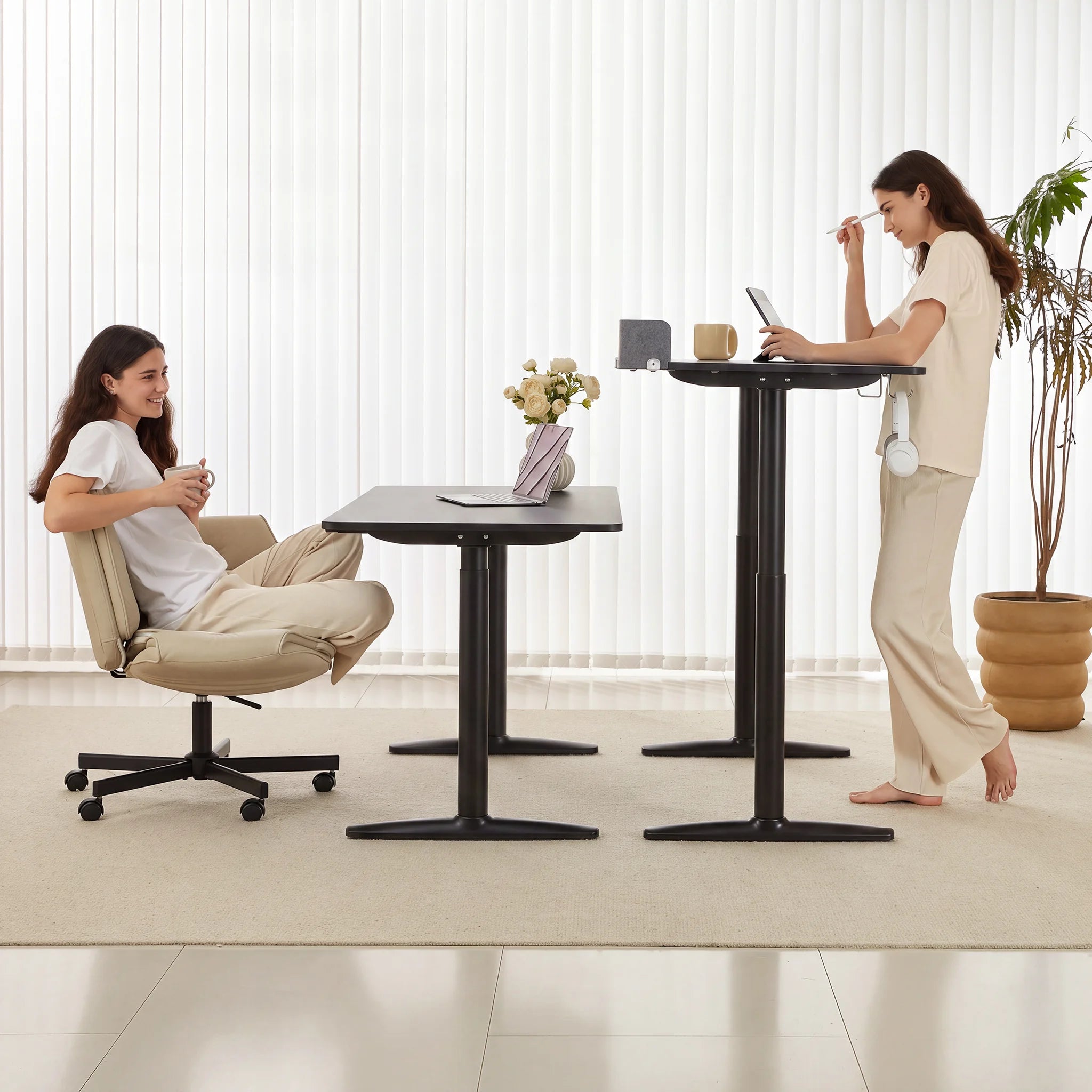
A separate simulated-workday study asked participants to switch posture every 30 minutes and found less acute overall discomfort and physical fatigue than with uninterrupted sitting. For tall users, a desk's useful range depends on whether it can reach their working height and make posture changes practical.
Three specs beyond the top number
The lowest setting. A taller chair often calls for a higher seated work surface. If the desk cannot reach your seated elbow height, you may end up reaching down to use the keyboard.
Smooth travel across the whole range. Hesitation or strain near the top can indicate that the lift is working hard under its load. Look for even movement from the lowest to highest setting.
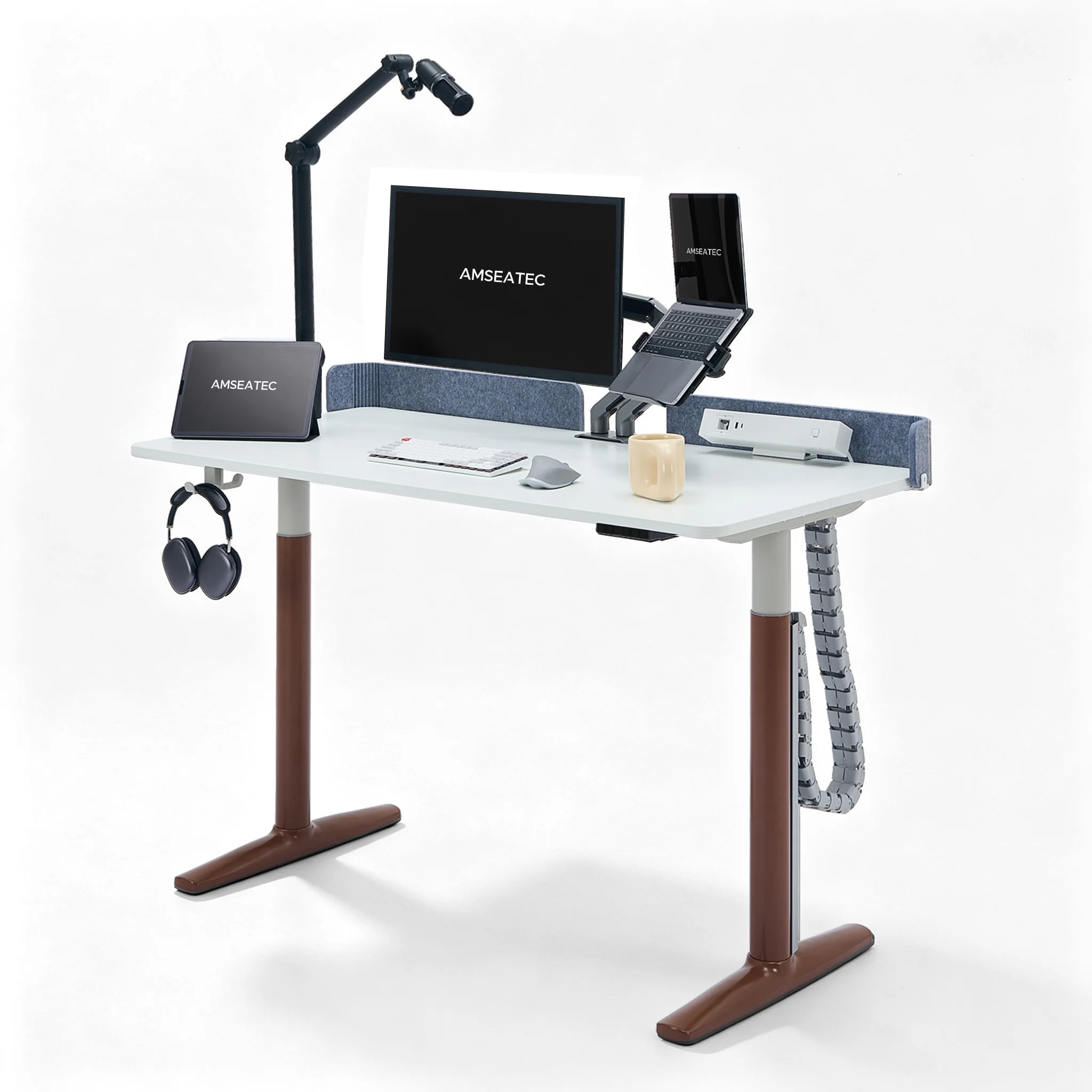
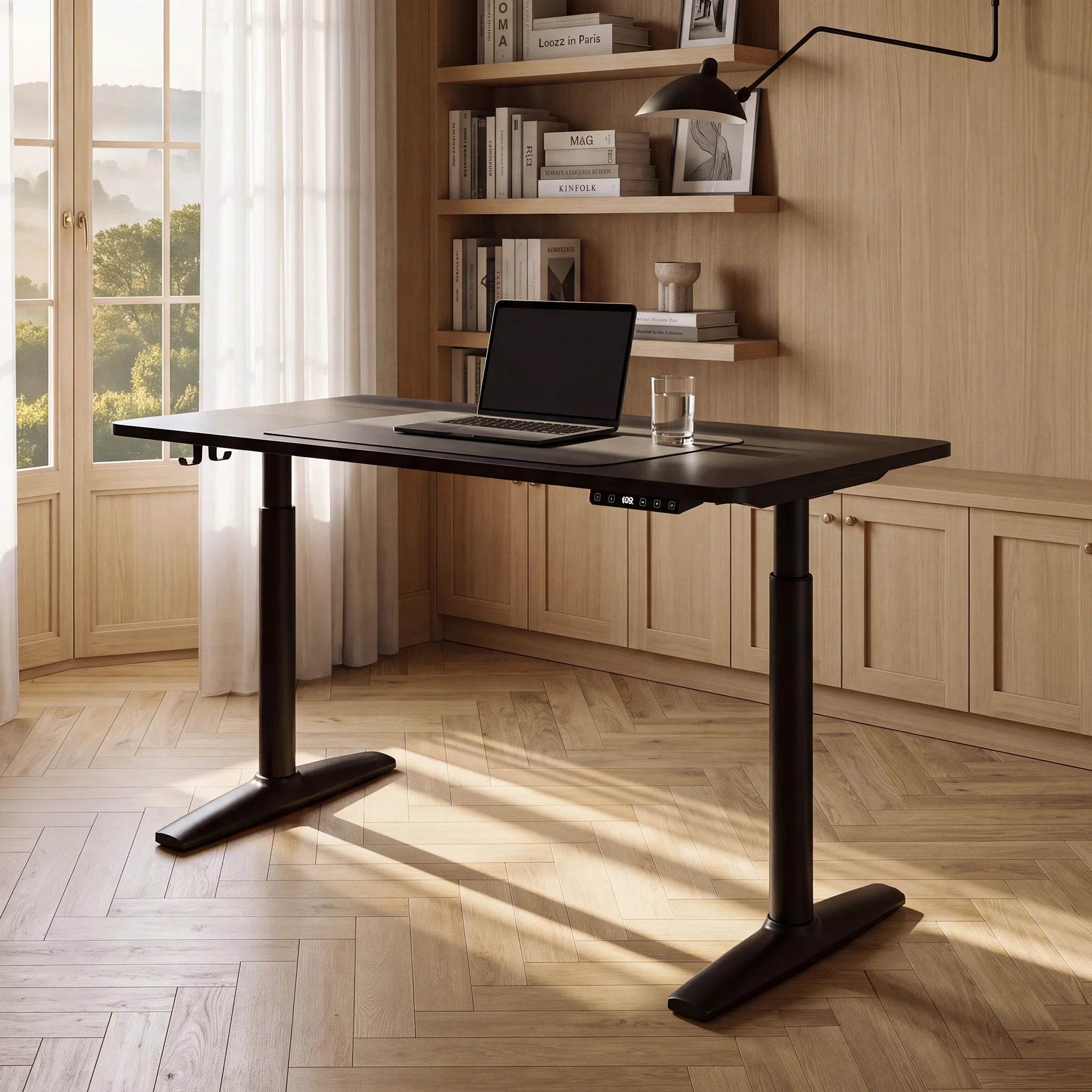
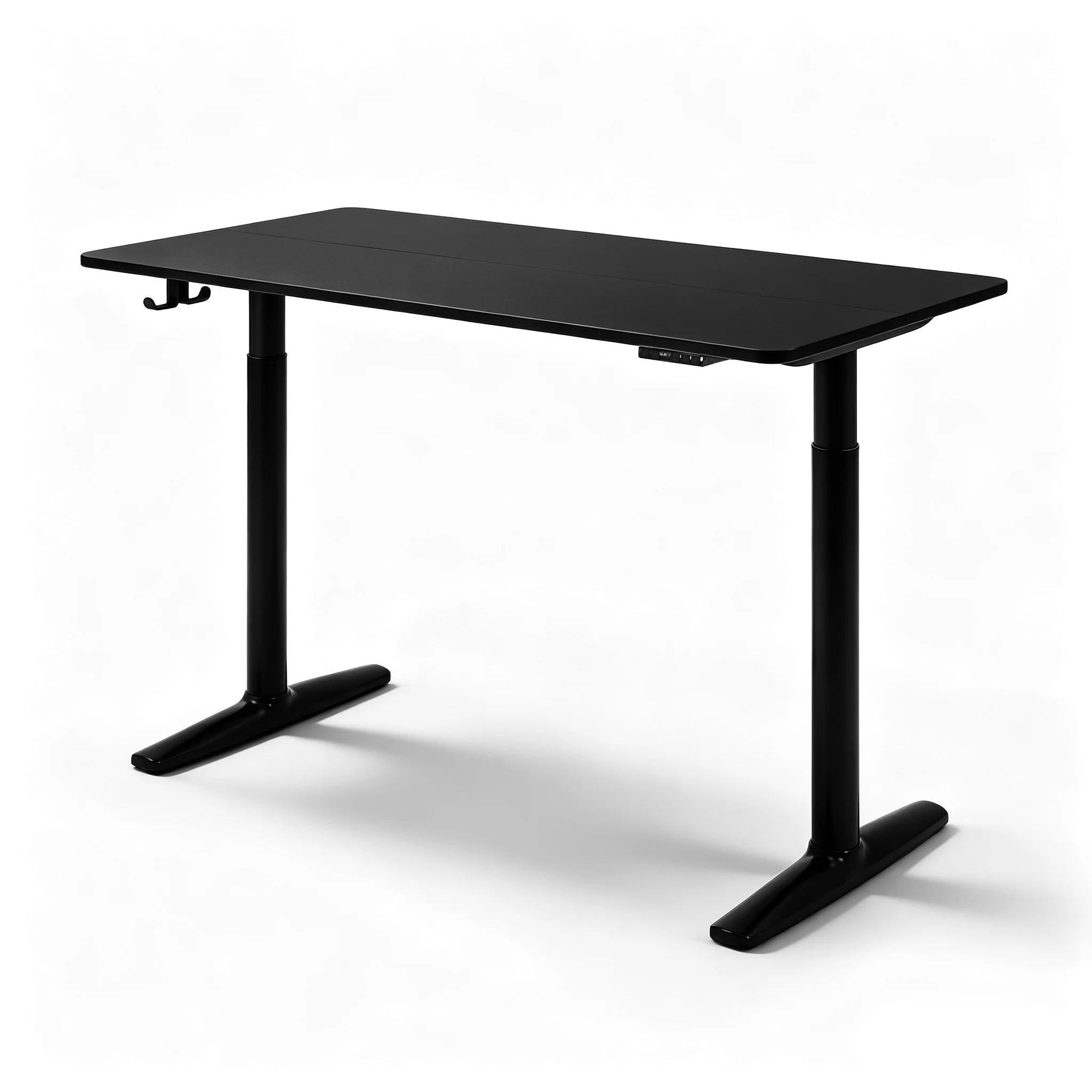
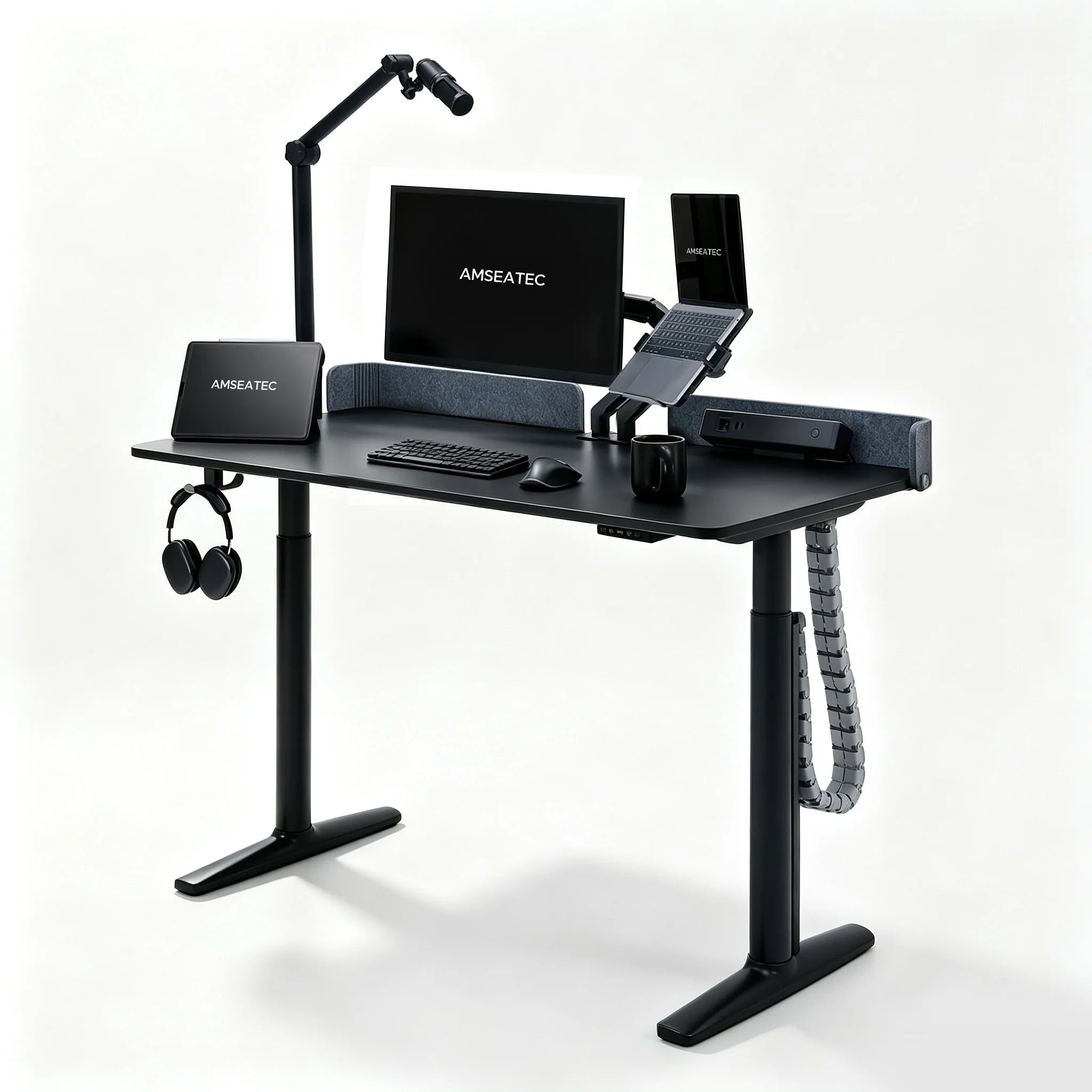
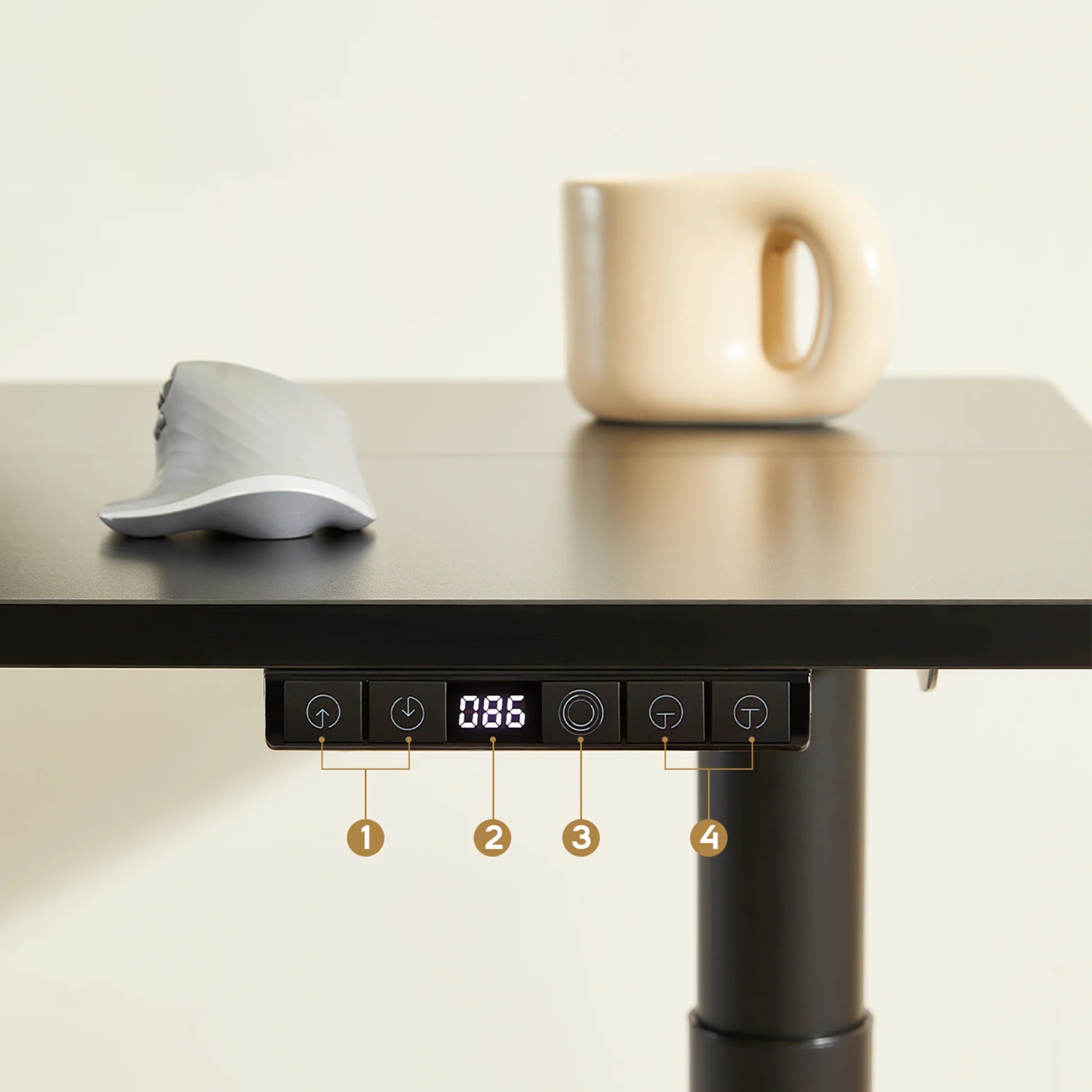
Memory presets. Saved seated and standing heights make switching quicker. The Rhythm Desk's smart memory controller adjusts from 28" to 46" and saves preferred sitting and standing heights for one-touch adjustments. See the Amseatec electric standing desk specifications for details about its powered lift and controls.
Why a steady desk at 30 inches can sway at 48
A desk can feel stable when lowered yet move more when raised. At full height, the extended frame has more room to flex under sideways forces from typing, leaning or nudging. Monitors and other accessories add load, so check stability with your actual setup in place.
| Spec | Why it matters for tall users | What to check |
|---|---|---|
| Maximum height under load | The usable top height depends on the desk and its load | Check that the desk reaches your measured elbow height plus about 1 in with your setup on it |
| Minimum height | The seated work surface must suit your chair and leg position | Confirm that the desk can reach your seated working height |
| Lift motor and travel | Uneven movement can make height changes awkward | Look for smooth, quiet travel through the full range |
| Frame and crossbar | A raised work surface may show more movement | Check the frame's construction and look for wobble at your working height |
| Weight capacity | Monitors, arms and accessories add load | Choose a rating that covers your complete setup |
| Desktop depth and width | The surface must hold your work equipment | Check that your monitor and keyboard fit without crowding |
| Leg clearance | Frame parts can interfere with knees and feet | Allow roughly 20 to 28 in of clearance under the top, per OSHA guidance |
The final stability check is physical. Raise the desk to your working height, place your loaded monitor on it, and gently press the top from the side while watching the screen. Visible movement can make typing less comfortable, so check how the desk behaves at the height you plan to use.
Fitting a Standing Desk Into a Tall-Person Workspace
Set the surface first, then the keyboard, then the screen. Start with your standing elbow height as the reference: the target surface is about one inch above it, provided the desk can reach that height with your equipment on top. A chart gives you a starting estimate; your own measurements decide the fit.
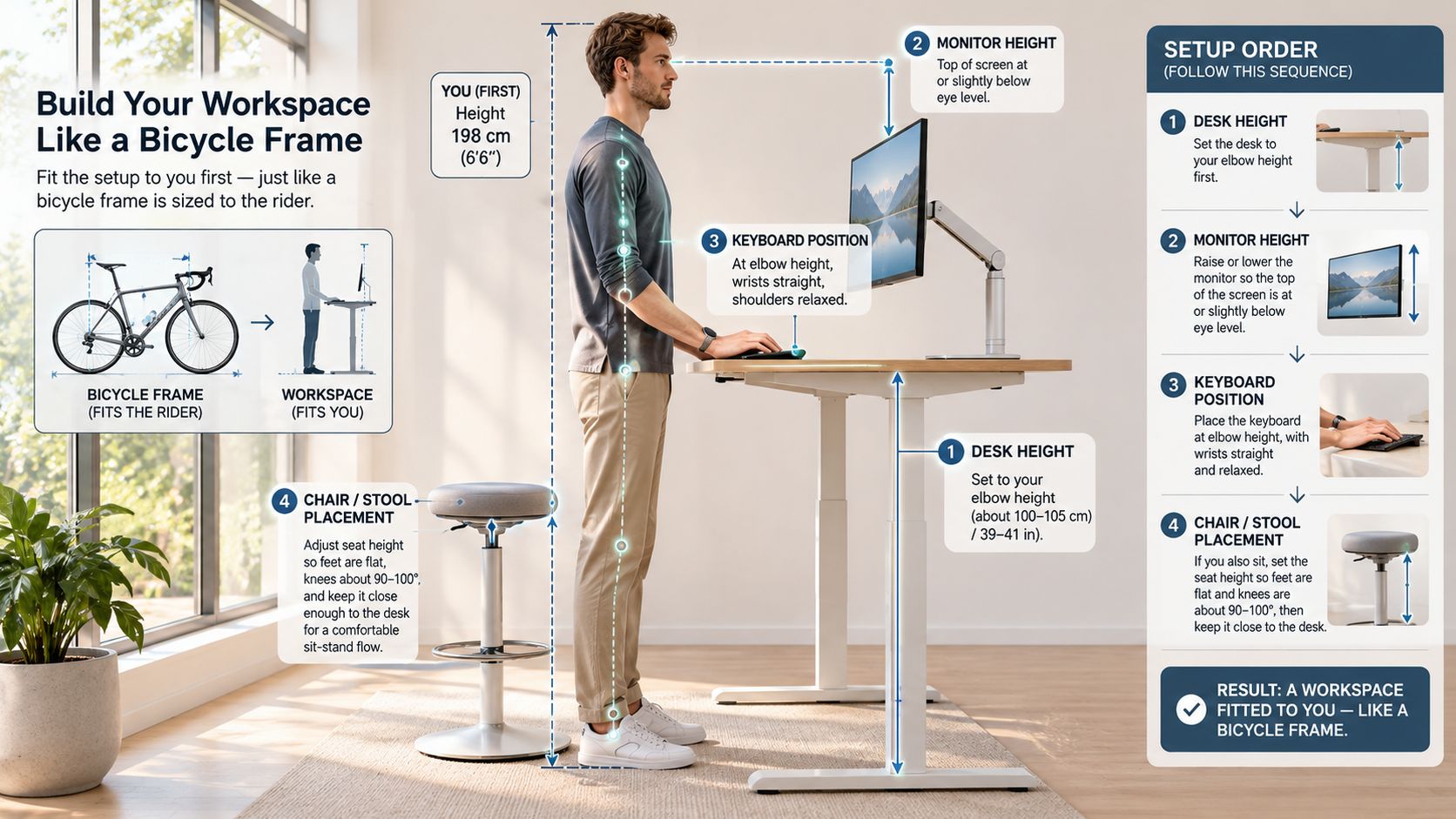
Set the surface, then the keyboard, then the screen
Set the work surface near your measured target, then place the keyboard and mouse at or slightly below elbow height. Oregon OSHA's sit-stand workstation guidance recommends adjustable surfaces and keyboard platforms that fit both seated and standing work. Its posture guidance aligns the legs, torso, neck and head roughly vertically.
Adjust the screen last. Place its top near eye level and the display about an arm's length away. If the monitor stand cannot raise it enough, a monitor arm can separate screen height from desk height, which helps when the work surface is already near its upper limit.
Give the chair, the mat and the room their due
Set the chair so your feet rest flat and your thighs are supported. The seat edge should stop short of pressing against the back of your knee. When standing, an anti-fatigue mat can soften a hard floor and make it easier to shift your weight.
Check the space around the desk, too. Leave room for the top to travel without hitting a wall or shelf, and allow slack in cables so they do not snag as the desk rises. Keep the route through a shared room clear.
This short walkthrough shows the adjustment sequence in motion.
After setup, use the separate validation checklist in the buying section rather than repeating those checks here.
Common Tall-User Setup Problems and Fixes
Start with the symptom, then trace it to the number that controls it. Shoulders that creep up point to surface height. Wrists that cock upward point to keyboard height. A neck that aches by midafternoon often means the screen is sitting low for a long torso. The pattern matters because each complaint belongs to a different adjustment, and swapping one fix for another leaves the cause untouched.
| Symptom | Likely cause | Fix |
|---|---|---|
| Shoulders rise when standing | Work surface below elbow height or maximum too low | Lower the top to elbow height; if it still cannot reach, choose a taller model |
| Wrists bend up at the keyboard | Keyboard above relaxed elbow height | Lower the keyboard platform or the top until elbows sit near 90 degrees |
| Neck strain at the screen | Monitor too low, forcing head tilt | Raise the monitor so the top of the screen is near eye level |
| Knees hit the frame | Crossbar sits where your legs want to travel | Shift your stance and chair position, or choose a frame without a low crossbar |
| Desk sways at full height | Light frame or heavy load | Reduce the load, test for wobble at maximum, and consider a sturdier frame |
| Legs ache after 30+ minutes | Static standing on a hard floor | Use an anti-fatigue mat, shift weight, and alternate with sitting |
| Lift stops short of comfort height | Maximum below measured elbow height | Recheck elbow height at the loaded top; choose a model whose maximum clears it |
That last row is the one buyers resist. A desk that tops out below your measured elbow height has a fit problem that no setup change will solve. The limit sits in the frame's travel, so trays, thicker mats and monitor blocks can improve comfort around the edges while the core mismatch stays.
Many height-only guides stop at body height, which is why a chart can look right and still feel wrong at the keyboard. ErgoDeskGuides' ergonomic desk and chair height chart points out that elbow height, arm to torso ratio, footwear, anti-fatigue mats, keyboard thickness and monitor position all shift the correct setting, and that a desk can reach a tall advertised maximum while remaining unsuitable if the keyboard and monitor cannot be positioned independently. A reader with unusually long arms or legs may sit outside any height-based average.
When a symptom survives the easy adjustment, work in this order: surface to elbows, screen to eyes, feet to floor, then frame travel. The first three are tuning. The fourth is a buying spec. Change one variable at a time and retest the same symptom, so the cause stops hiding behind the rest of the setup.
Alternating Sitting and Standing Without Overdoing It
Standing more does not automatically mean moving more. A summary of recent evidence reported by Ynetnews notes that sit-stand workstations can cut daily sitting by up to about 75 minutes per day, but don't necessarily increase overall physical activity, and that benefits for discomfort, fatigue or metabolic markers are modest while long-term, high-quality evidence remains limited.
So set your expectations accordingly. A desk that reaches your measured elbow height does real work for your posture by putting the surface where your arms already want to be. What a desk cannot do is fix an unsuitable chair, an over-raised monitor, four hours of stillness, or replace a back-pain treatment. The height is the enabler. The switching is the habit.
The desk's job is to make changing position easy. Your job is to change position.
A rhythm that suits a taller body
Stand for roughly 30 minutes, sit for the next block, then walk for two or three minutes before the next switch. Tall people carry more mass higher up, and long stretches of locked-knee standing tire the legs faster than most guides admit, so start with one standing block in the morning and one in the afternoon rather than a full standing day.
Set the cue with a timer or with the end of a task, because memory loses to a deadline every time. While you're up, shift weight between your feet, put one foot on a footrest or the mat's edge, and keep your knees soft rather than locked.
If you're new to alternating, keep the first standing sessions short and add minutes over a couple of weeks. If discomfort climbs with each switch instead of easing, the setup is the likelier suspect than the standing itself. Go back to your measurements and check the surface height, the keyboard and the screen before you add another standing block.
Confirm the Height Before You Buy
Stand in your work shoes and measure your elbow height before comparing desks. Use the method in the earlier measurement section, then judge the desk by the height its top can reach under load. The Rhythm Desk dimensions and assembly details can help you check the product's listed specifications.
The Rhythm Desk's smart memory controller adjusts from 28 to 46 inches and saves sitting and standing heights for one-touch adjustments. Its high-grade cold-rolled steel frame supports up to 250 lbs without wobbling. A 46-inch top suits readers up to about 6 feet 1 inch; taller readers should compare their own measurement with the desk's reach.
Make the decision against your body's measurements, not a height estimate based on overall stature. If the desk reaches your target with about an inch to spare, it is a candidate. Check the full-height stability guidance above before buying, especially if your workspace setup will place equipment on the desktop.
Amseatec's Rhythm Desk is an electric standing desk with saved sitting and standing heights. Its listed adjustment range is 28 to 46 inches.


